


Alive Home Biofeedback
$149.00
Alive Personal Features
- Includes workshops, personal coaching and gaming for the ultimate learning experience.
- An innovative and entertaining way to benefit from biofeedback technology.
- Great for kids, adults, or anyone who loves games.
- Uses heart rate and heart rate variability (hrv) measurements to control the game.
- *Software Only: Requires Biofeedback Sensors.*
Alive Home Biofeedback
Alive Personal Biofeedback Software — for home use.
Reduce anxiety, improve focus, or simply create a better, more healthy brain. The Alive Personal Biofeedback System will benefit kids, teens and adults with just 10 minutes of use a day.
Don’t wait to find out what you are missing from the advancements of mindfulness, biofeedback and stress relief!
The built-in coaching, along with over 30 games, workshops and environments provides a stunning array of feel good, find awareness and build confidence exercises.
Play games like Dual Drive Pro ($100 by itself) — or immerse yourself in a soothing Incoming Tides of ocean waves video and sounds. The more relaxed you get the more rhythmic and relaxing the waves become.
This is software only for those who already own a compatible biofeedback sensors.
- Wild Divine iom2, iom Pro or Lightstone 3 finger clip sensor
- iFeel USB HRV sensor
- emwave Heartmath USB HRV sensor
- BioSignals HS sensor
Package deals are available for those who do not currently own a sensor. (SEE Biofeedback Home or Clinical Systems.)
The best way to understand something is to see it in action.
Watch this introduction video from our Stress-Free Living partner, the creator of Somatic Visions’ Alive program. Ryan Deluz explains and shows how Alive is used to bring improved health to its users.
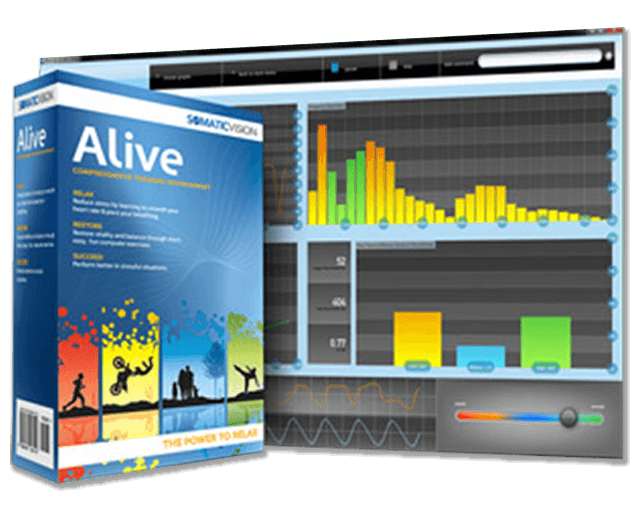
- In the first 2 minutes, you can see how heartrate, heart rate variability and smoothness are graphed on the screen in real time.
- At 3:45 – 4:45 minutes, you can see how to create beautiful, multicolored, spiral particle showers.
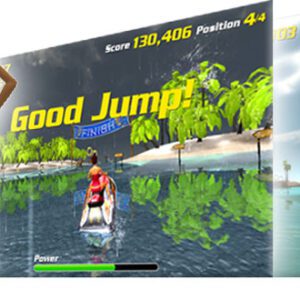
- Between 5 and 6 minutes, the video shows you the popular Dual Drive Pro 3D Race game. Here you Relax to Go Fast as you compete to win the race. It is easy to see why this is fun for ‘kids of all ages’.
- At the 7 minute mark, Ryan briefly introduces the multiplayer internet gaming aspect and the coaching workshops that teach relaxation techniques and cognitive behavior therapy.
Which version of Alive is for me?
- Most professionals and schools – Alive Clinical with IOM sensor
- Focus on gaming and don’t need skin sweat feedback – Alive Clinical with emWave sensor, which does not include skin sweat feedback, but which does allows two hands free to play Half Life 2 with heart rate feedback (included but need to purchase Half Life 2 from steampowered.com) and Tropical Heat with a gamepad (sold separately)
- Already have an IOM or emWave sensor – Buy Alive Clinical for IOM or Alive Clinical for emWave<
- Already have both an IOM and an emWave sensor – Buy Alive Clinical plus the Alive Dual Compatibility Upgrade to make it worth for either sensor
- Already have Alive Standard – Upgrade to Alive Clinical
- Already have Alive Clinical – buy Add-ons like Tropical Heat, Particle Editor or Inner Tub
Why choose the Alive Personal Biofeedback Training System?
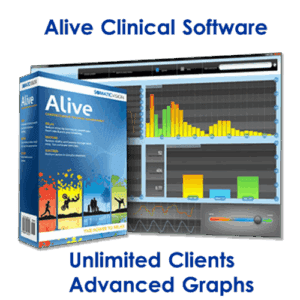
- View your ‘scores’ and ‘active feedback’ in Real-Time, on screen overlay if you choose.
- Train using detailed Heart Rate, HRV, and BVP graphs.
- Includes Alive & Beyond 8 Week Coaching system for daily life guidance.
For future reading, here is an interesting article on biofeedback, “Basics of Brain Training” — to learn how this system can be used in your practice.
Beyond the computer
Alive is not just about computer training. Your Alive User Guide includes the multi-disciplinary Alive & Beyond 8-Week Program.
The Alive & Beyond 8-Week Program has been developed to help people get the most out of Alive, bringing in off-screen concepts and exercises to complement the Alive software.
In your personal practice, you can use the ‘coach’ to guide your practice, especially when you need advice. The Alive User Guide supplement contains many tips and tricks for using the Training features in Alive to create desired outcomes.
Behind Alive
Alive is the brainchild of Ryan Deluz, a software engineer with a background in biology. Ryan’s vision to bring a liveliness and ease-of-use to innovative and powerful self-regulating tools — and his passion for his work —are at the core of Alive.
Alive & Beyond — and much of the Alive software itself — was developed in partnership with Yuval Oded, a cognitive behavioral psychologist and leading expert in biofeedback. Yuval also authored the Clinical Version User Guide Supplement.
Yuval, a consultant to the French Ministry of Defense, is a Clinical Psychologist who has developed biofeedback programs to help military personnel keep a clear head, suppress unhelpful responses to difficult situations, and manage an array of decisions and tasks. In his clinics, Yuval treats a wide array of conditions, including anxiety disorders, behavioral disorders, chronic illnesses, neurological problems, psychosomatic problems, head trauma and post-traumatic stress disorder.
The Alive Coach
Diagnostics, educational resources, progress tracking, and a virtual coach to teach you techniques for breathing to lower and smooth heart rate, how to interpret your body data, and to suggest a program for meeting your goals.
As you play the Alive Games and explore the Environments, the Coach stays with you throughout the entire experience, evaluating your progress, and helping you maximize the effectiveness of Alive — suggesting alternative programs and approaches as you play.
Alive Games
For many, the most fun part of Alive are the Games. Mini games require less skills to become immersed while The full Dual Drive Pro version is included to bring greater capacities for the professional to coach the client through all facets of biofeedback training.
Dual Drive Pro — Dual Drive Pro is a full game with Autopilot, Manual Pilot, and multi-user, online capacity.
Dream House— Build a dream house from the ground up, beginning in the morning and finishing by parking your car in the new garage at sundown.
Night Flight — Enjoy navigating through a twinkling and busy cityscape.
Four Seasons — Propel a natural scene through all four seasons, enjoying spring showers, lush summer foliage, fall thunderstorms and the bare beauty of winter.
Green Thumb — Make a gorgeous hyacinth bloom and wow you with its showy ultramarine flowers
Alien Shuttle — Complete your alien mission by finding your way to the docking station in the mothership.
Alive Environments
The Alive Environments are easy to use, great for training and development and simply allow the user to become engaged with minimal effort or thought processing. It becomes natural to use the gorgeous visual environments to explore as you pace your breathing and smooth your heart rate. Here are examples of the environments included:
Alive Environments Breath Spiral — Move shiny particles in a 3D space as you inhale and exhale. Paced breathing creates a smoother heart and expands a disc of particles into spiraling waves.
Alive Environments Shape Shifter — The smoother your heart rate, the brighter a geometric shape becomes. Keep it smooth to see it morph into new forms.
Alive Environments Metal Pulse — Use paced breathing to turn undulating waves from orange to an intense blue.
Alive Environments Plasma — Use the pacer on the screen to smooth your heart rate and make undulating plasma appear. Slow the plasma by dropping your heart rate.
Alive Environments Tropical Ocean — Relax to make the wind blow the palm fronds and the wave sounds intensify.
Alive Audio Environments — Close your eyes, sink back into your chair, and breathe to smooth your heart rate. The more even your heart rate changes are, the more enveloping the music and relaxing sounds become. Choose from Rain, Stream, Waves, and Memory.
What Biofeedback System Choice Is for Me?
For any doubts or questions, get personal help:
clay@braintraincoach.com or 800-678-4210.
What’s best for you is what we do.
PC and Mac Minimum System Requirements:
- Alive Active Feedback Hardware — iFeel, BioSignals, Wild Divine Lightstone or IOM finger sensors *NOT included*
- Windows XP / Vista / Windows 7 – Windows 11 operating systems.
- macOS 10.10 – 10.15 (Catalina) (older macOS will work, but 10.10+ preferred)
- Go here for macOS Catalina and Higher Requirements (PLEASE View, e.g, no Iom sensor)
- **This system with this Lightstone IOM sensor will not work on macOS Catalina and above. Choose iFeel or BioSignals Sensor Systems.**
- 2.0 GHz Processor
- Dedicated Video Card Supporting OpenGL 2.0
- 1 GB RAM
- CD-Rom Drive
- 3 GB of Disk Space
- Internet connection recommended (enables updates and community features)
- Alive may work even if your computer does not meet the minimum video card requirements. If you are unsure if Alive will work on your computer please download OpenGL Caps Viewer and make sure your OpenGL version is 2.0 or higher (on the first tab of OpenGL Caps Viewer, next to OpenGL, it should say OpenGL 2.0 or higher).
ALIVE MAY ONLY BE USED ON ONE COMPUTER AT A TIME. ALIVE CAN BE INSTALLED ON TWO COMPUTERS AS LONG AS ONLY ONE COPY OF ALIVE IS IN USE AT ANY GIVEN TIME.
The Necessary Disclaimer:
Somatic Vision, Inc. products are intended for self-education, not diagnosis or treatment of any medical conditions. Somatic Vision Inc., Stress-Free Living Co., and BrainTrainCoach.com make no medical claims regarding improvement of any specific conditions. If you have health concerns, consult your doctor before using these products.

Reviews
There are no reviews yet.